Microsoft’s August 2026 Power BI update introduces improvements across reporting, modeling, data connectivity, mobile experiences and embedded analytics.
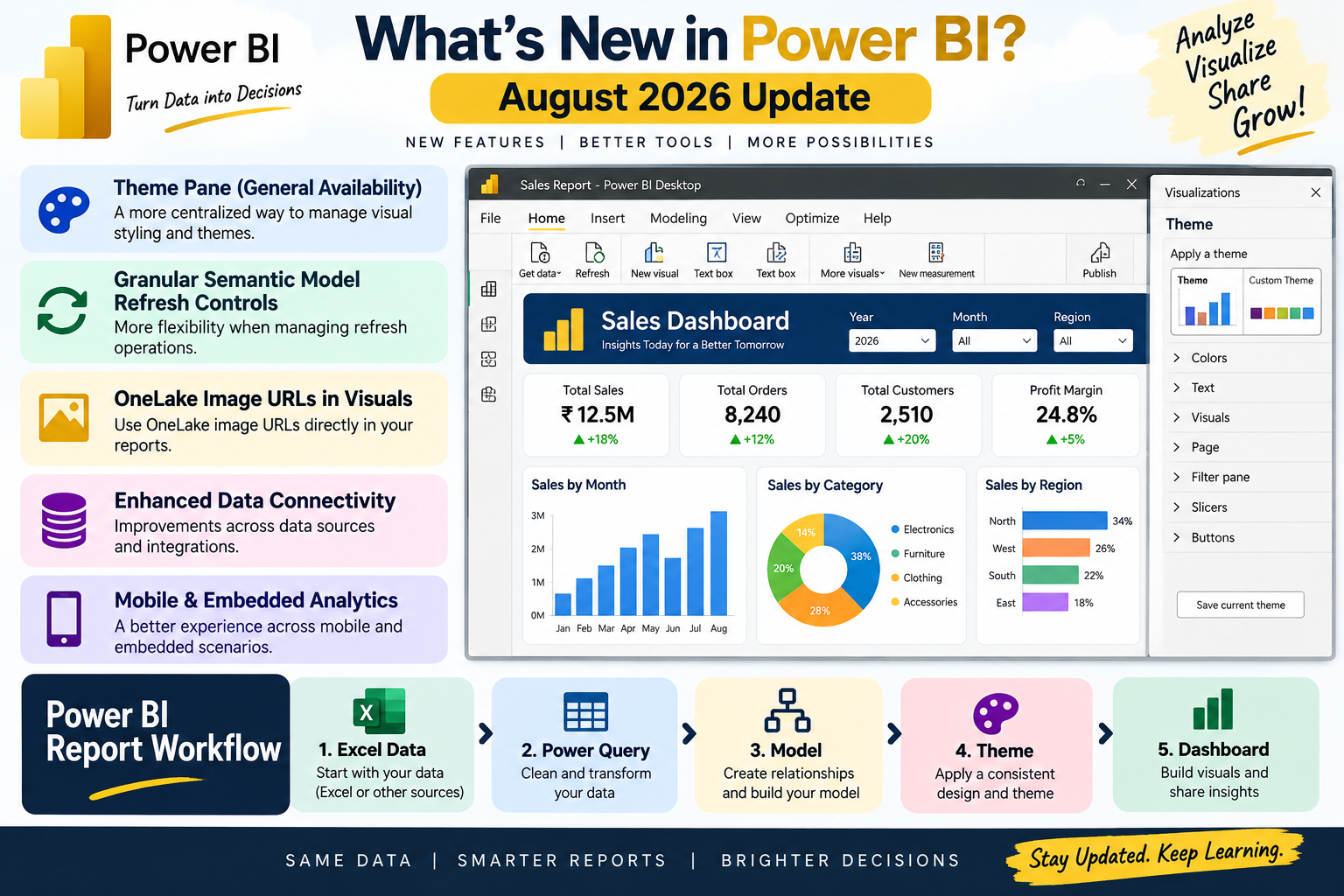
One notable change is the Theme pane reaching general availability. This gives report creators a more centralized way to manage visual styling and themes. Microsoft also highlights modern visual defaults and expanded formatting options for elements such as slicers and matrices.
Another useful improvement is granular semantic model refresh controls. These changes give users more flexibility when managing refresh operations, which can be particularly useful in professional environments where data needs to be updated on a schedule.
The August update also includes OneLake image URLs in visuals, along with enhancements across Power BI’s data connectivity, mobile and embedded analytics capabilities.
For beginners, these updates may sound highly technical, but they demonstrate an important trend: Power BI is not just a chart-making application. Modern Power BI work involves data preparation, semantic models, report design, refresh management and increasingly AI-assisted functionality.
A practical learning path can start with a simple Excel sales file. Import the data into Power BI, clean it with Power Query, create a basic model, build charts and then apply a consistent report theme. Once these foundations are understood, newer features become much easier to learn.
Power BI users should therefore make a habit of reviewing the monthly update information rather than relying only on older tutorials.
Keeping your software current also helps ensure that the menus, options and workflow you learn match the current Power BI Desktop experience.