Gemini Comes to Windows
Google launched the Gemini app for Windows on September 10, 2026, bringing a dedicated desktop AI assistant to Windows 10 and Windows 11.
The main idea is simple: users can access Gemini without opening a browser tab.
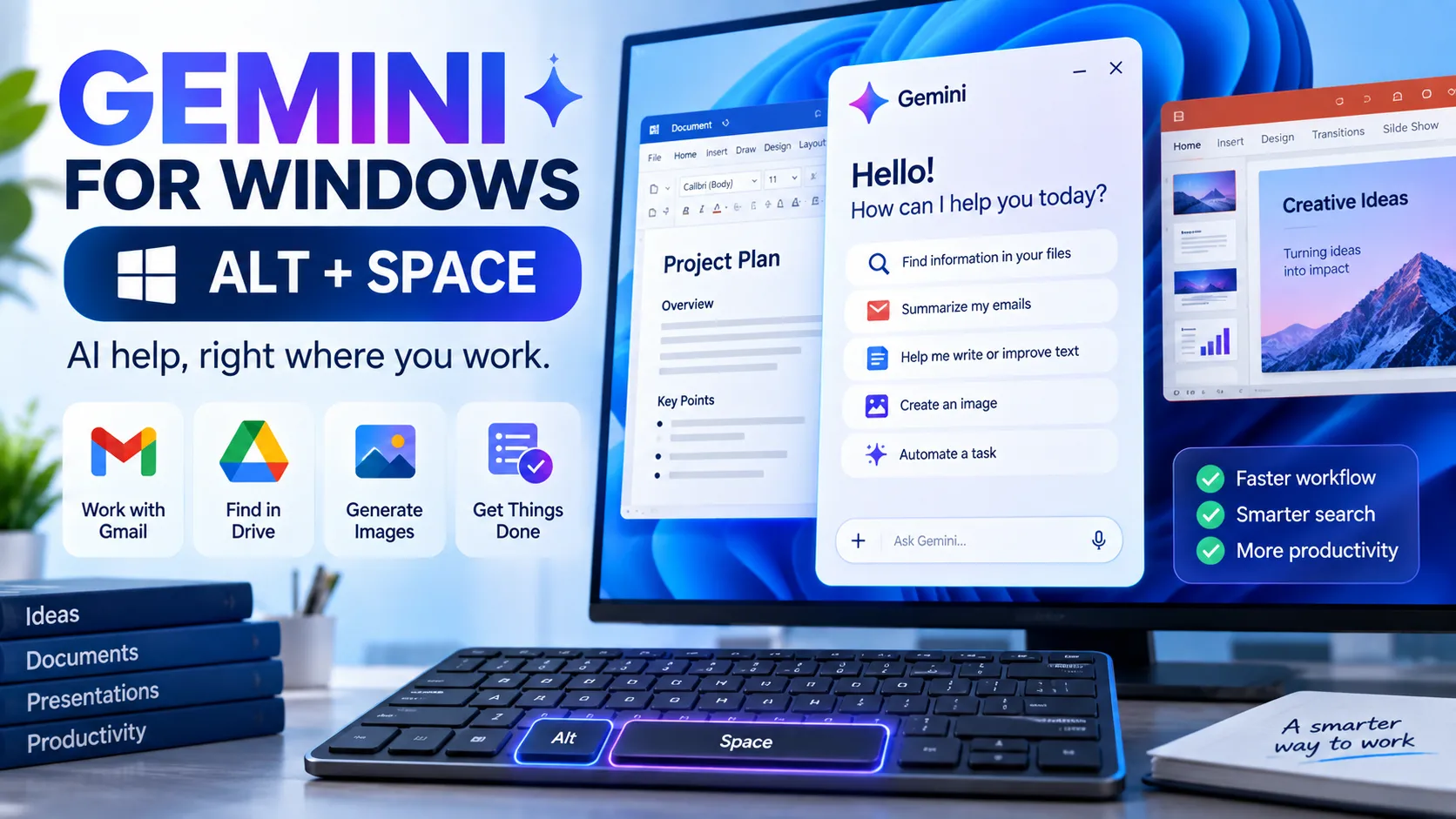
The Alt + Space Shortcut
Press:
Alt + Space
and Gemini opens over the application you are currently using.
For example, while working in Word or PowerPoint, a user could quickly ask Gemini for:
Presentation title ideas
A summary of information
Help improving text
Research assistance
Creative ideas
Google says the shortcut is designed to help users get AI assistance without breaking their workflow.
More Than a Chat Window
The Windows app also provides access to Gemini’s broader capabilities.
Google says users can work with Gmail and Google Drive information, hand multi-step tasks to Gemini Spark, and create images and videos using supported Gemini capabilities.
Why Is This Important?
Desktop AI assistants are becoming a major productivity trend.
The traditional workflow is:
Open Browser → Find AI Tool → Copy Information → Ask Question → Copy Result
A desktop assistant can shorten that process:
Work → Press Shortcut → Ask AI → Continue Working
This can be especially useful for students, teachers, content creators and office professionals.
A Practical Tip
Do not use AI simply because it is available. Use it when it genuinely reduces repetitive work.
For example:
Student: “Explain this topic in simple language.”
Teacher: “Create five practice questions from these notes.”
Office User: “Summarize these points into a professional email.”
Content Creator: “Give me three headline variations.”
Google says the Gemini Windows app is available globally for supported Windows 10 and 11 devices.