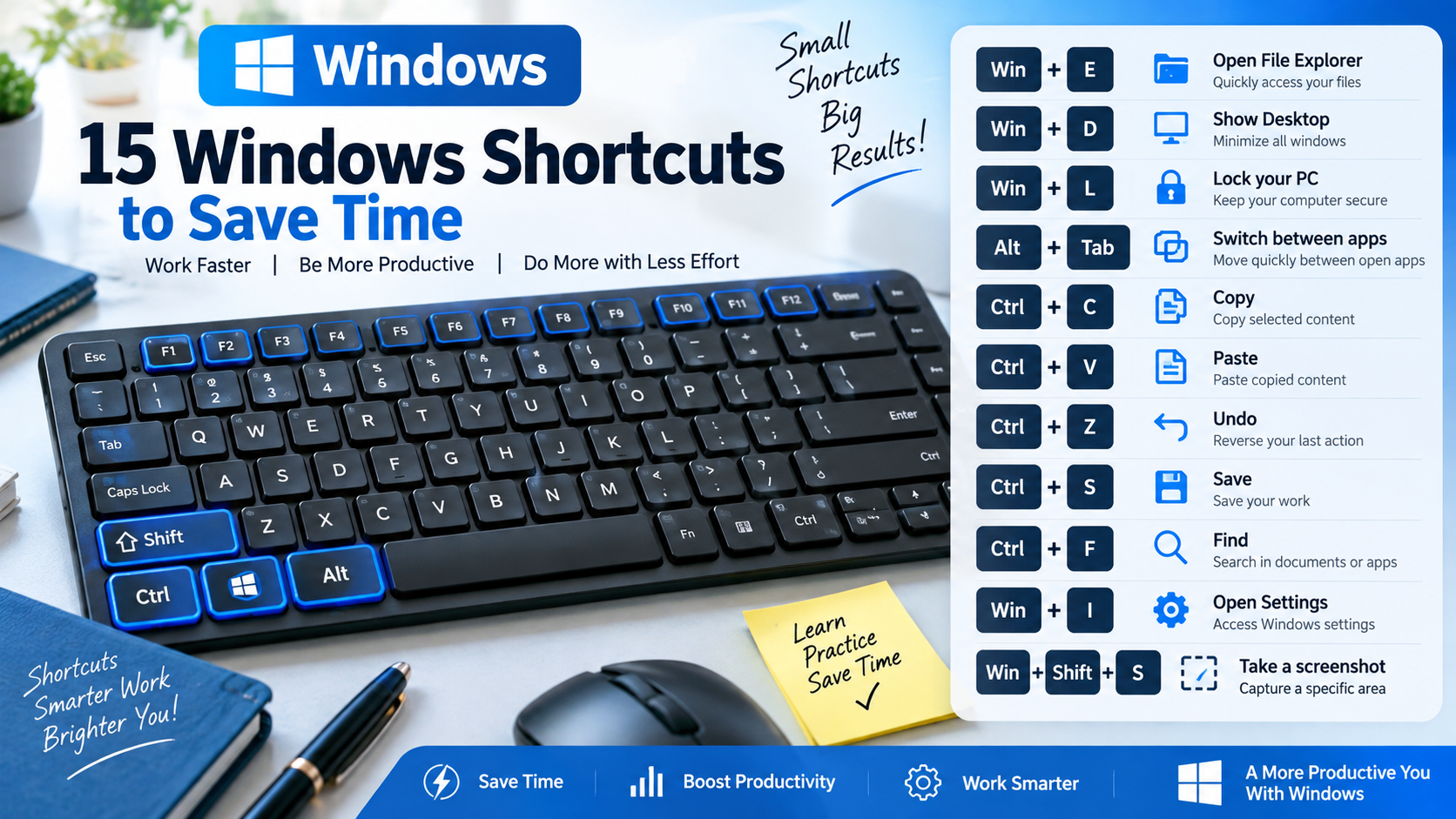
You can perform many everyday Windows tasks faster with keyboard shortcuts instead of repeatedly using the mouse. Microsoft maintains an official list of Windows shortcuts covering file management, navigation, window management and common editing tasks.
Here are 15 shortcuts worth learning:
| Shortcut | Action |
|---|---|
| Win + E | Open File Explorer |
| Win + D | Show or hide the desktop |
| Win + I | Open Settings |
| Win + R | Open Run |
| Win + S | Open Search |
| Win + L | Lock the computer |
| Alt + Tab | Switch between open apps |
| Win + Tab | Open Task View |
| Win + H | Start voice typing |
| Win + Shift + S | Capture part of the screen |
| Ctrl + C | Copy |
| Ctrl + V | Paste |
| Ctrl + X | Cut |
| Ctrl + Z | Undo |
| Alt + F4 | Close the active program |
Consider a simple office example. You are working on a report and need a file stored on your computer. Instead of opening menus, press Win + E to open File Explorer.
While switching between Excel and Word, Alt + Tab can be much faster than clicking application icons on the taskbar.
For security, Win + L is particularly useful when leaving your desk because it immediately locks the PC.
The screenshot shortcut Win + Shift + S is another valuable skill for teachers and office professionals. It allows you to capture a selected area rather than taking a full-screen image.
You do not need to memorize all 15 at once. Start with Win + E, Win + D, Win + L, Alt + Tab, Ctrl + C, Ctrl + V and Ctrl + Z and use them regularly.
Small shortcuts can become major productivity improvements when they become habits.