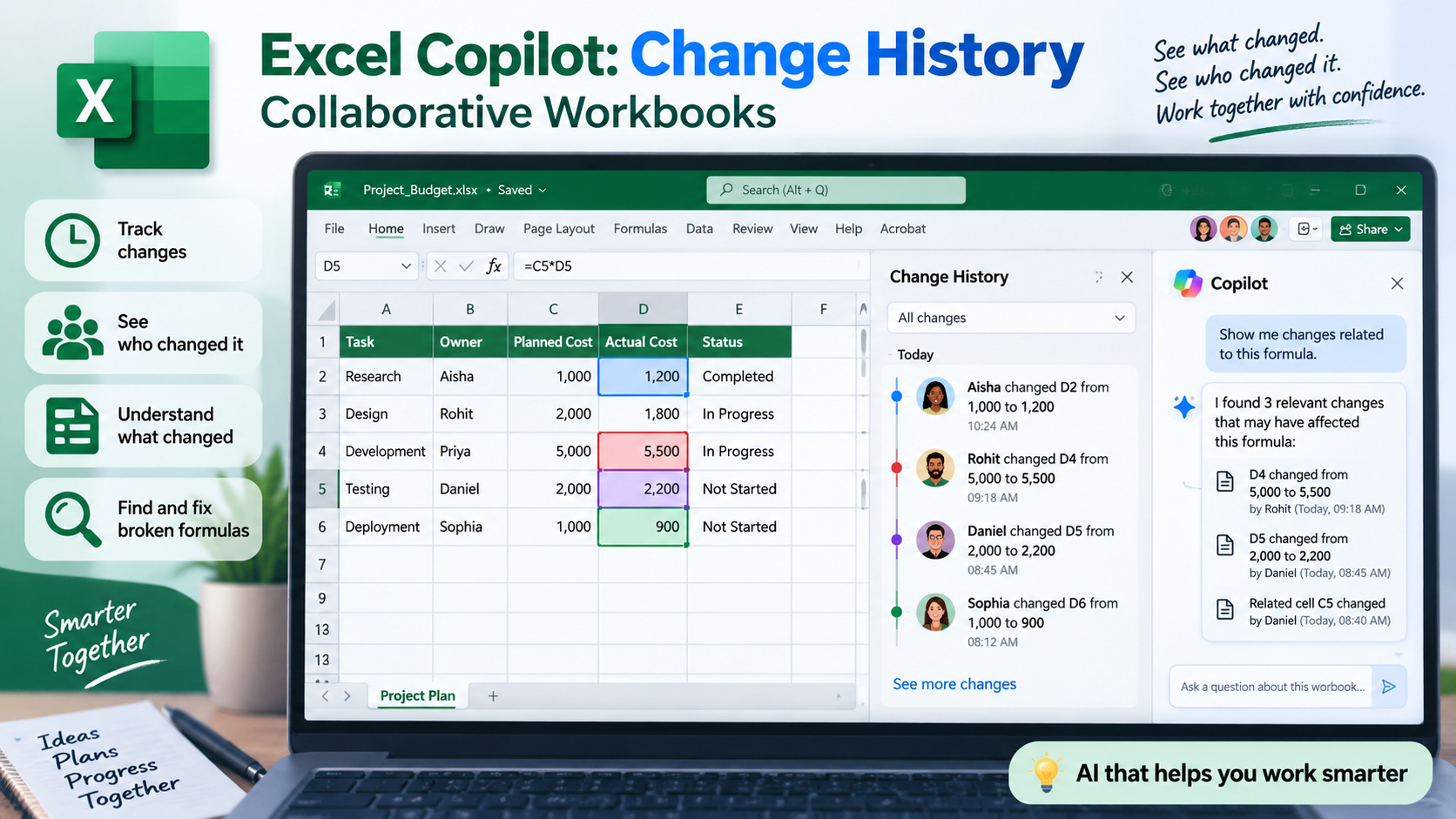
Microsoft is making collaborative Excel work easier with a new Change History skill in Copilot. The feature was highlighted by Microsoft on September 1, 2026, as part of its work on collaborative workbooks.
When several people work on the same spreadsheet, it can be difficult to understand what changed while you were away. A value may have been edited, a formula changed, or the structure of a worksheet modified.
The new Copilot experience is designed to help users understand those changes more quickly. Instead of manually comparing versions, users can ask Copilot questions about the workbook’s change history.
For example, a user can ask:
“Summarize the important changes made since last week.”
Copilot can help identify relevant changes, including the person associated with a change. Users can also ask questions about particular edits or changes that may have affected a formula.
This can be particularly useful for business spreadsheets such as sales reports, inventory trackers, project budgets and financial workbooks where several people regularly make updates.
The feature can also help when a formula suddenly stops working. Instead of manually checking every cell, users can ask what changed around the affected formula and investigate the relevant history.
There are limitations. Copilot can only reason over changes that are actually available in Excel’s tracked change history. Microsoft notes that Excel’s change tracking has a limited history window and that some unsupported edits or older Excel versions may not appear.
For Excel learners, this is an important development because modern spreadsheet work increasingly involves collaboration + automation + AI assistance. Knowing how to create formulas is still essential, but knowing how to investigate changes and maintain shared workbooks is becoming equally valuable.